





of contact center operating cost is labor. Technology is 4–12%.
a year in wages from a 1% staffing error in a 200-agent center
of contact centers still use spreadsheets in forecasting and scheduling
of agents say they’re likely to leave their role within six months
$89,540 is two agents at the US median annual wage for customer service representatives ($44,770); fully loaded cost is higher.
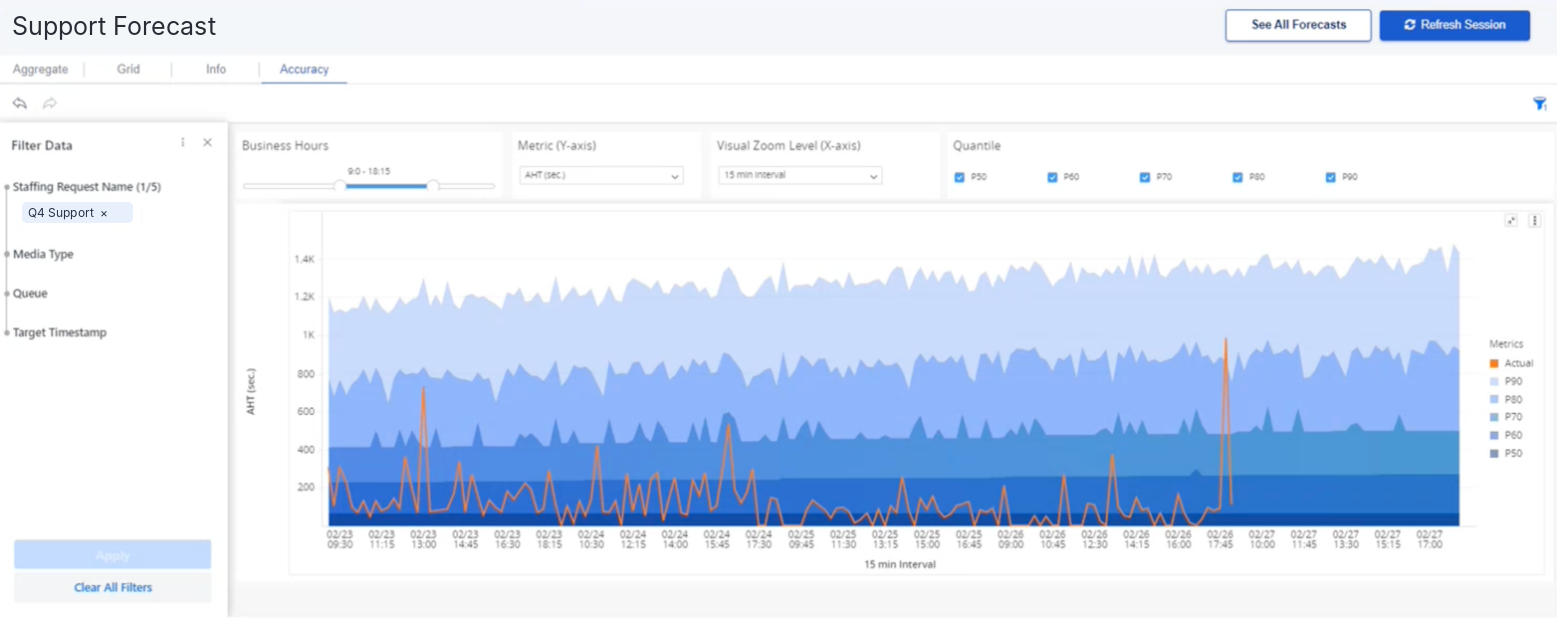
Pick the method that fits the queue, and see how wrong the engine would have been on your own history before anyone schedules from it. Your planner stays in control of the method, not a black box.
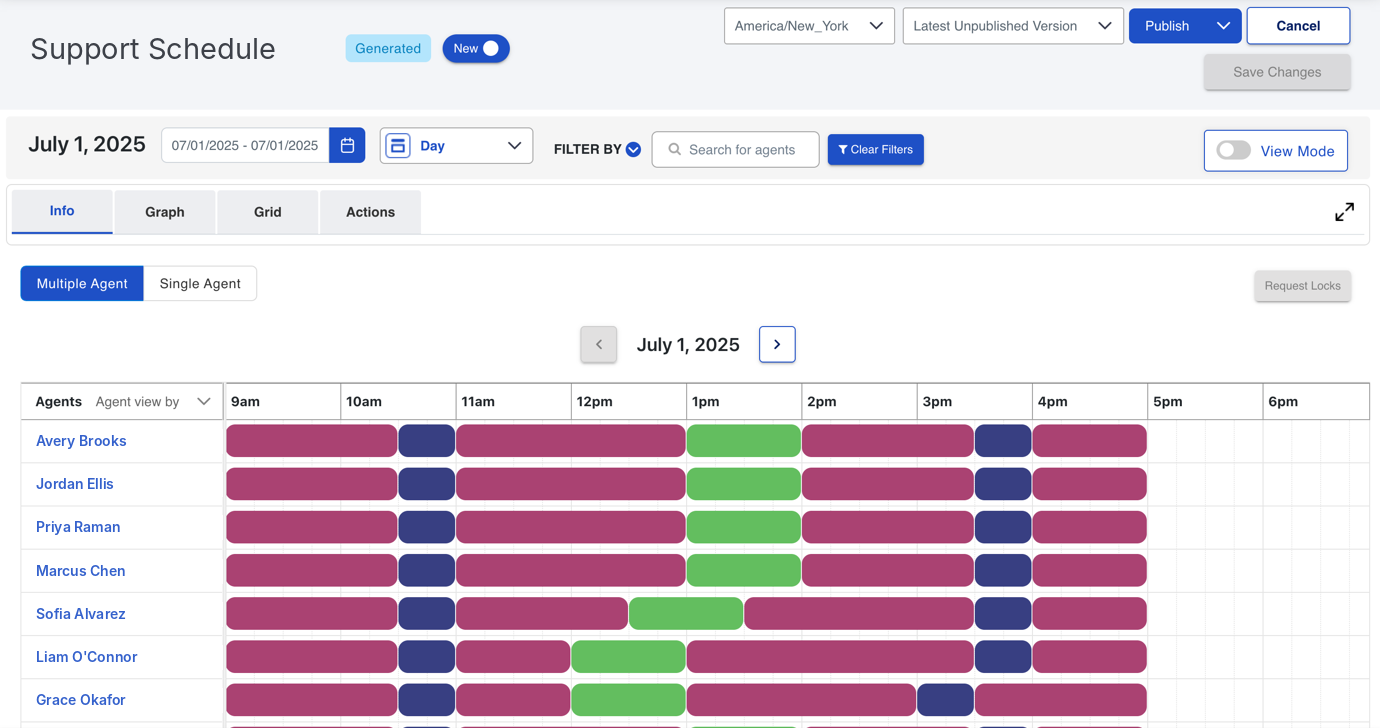
Set up workgroups, workplans and shifts once. SuccessKPI generates schedules against the forecast, applies your labor rules and tells you what it couldn’t satisfy.
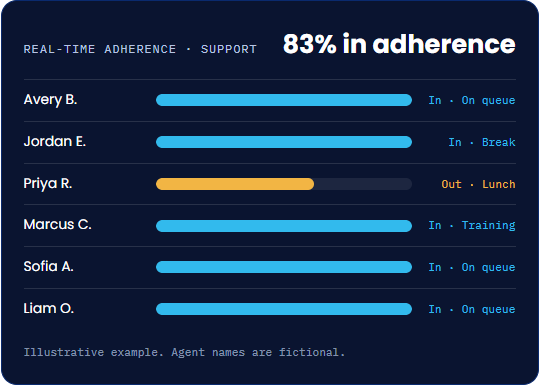
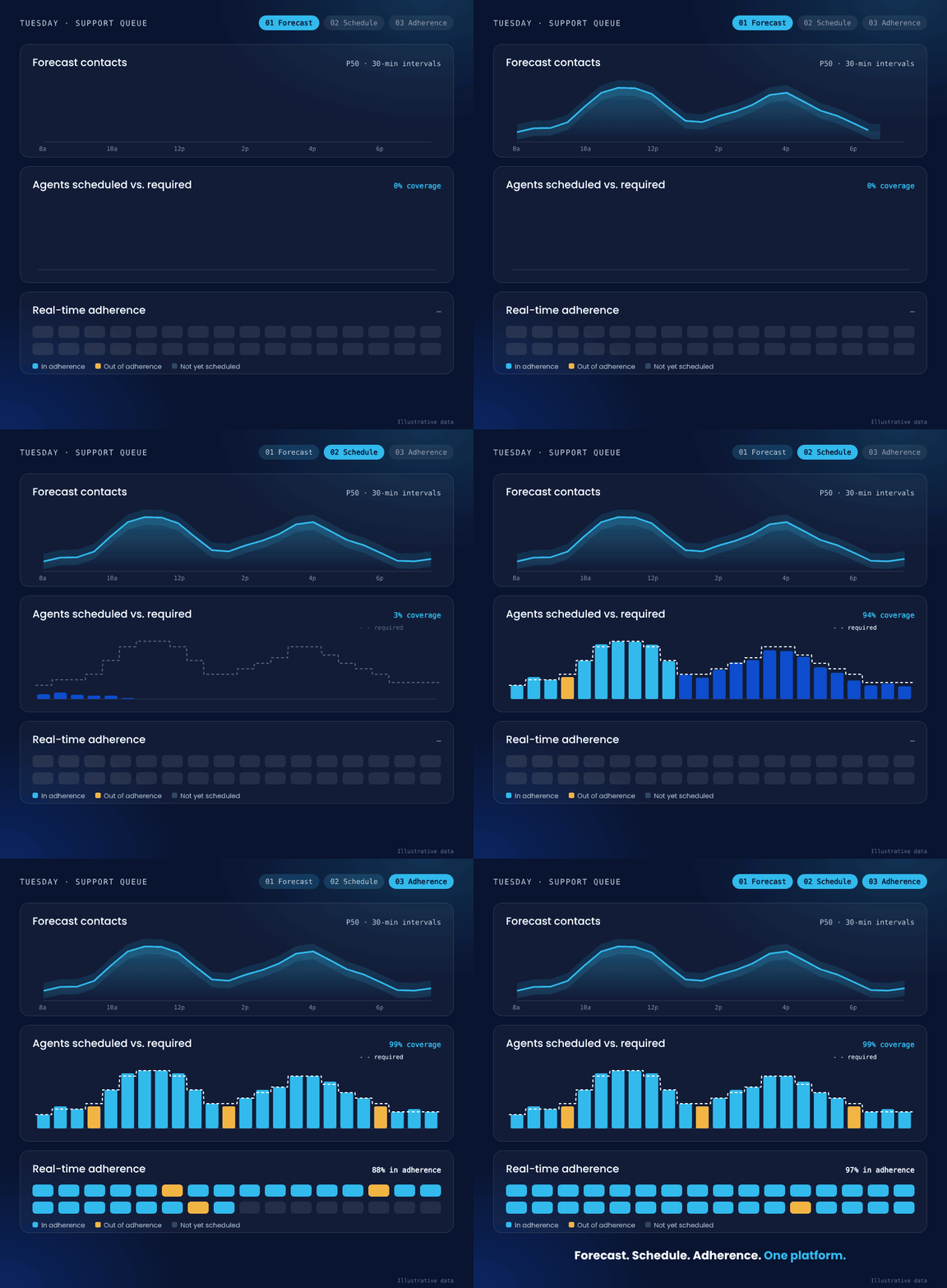
Adherence updates in real time, so a supervisor can see who is where they should be instead of guessing. Historical adherence and conformance show the trends behind the day.
Agents see their own schedule and what time off is available, request it themselves, and get an answer without a planner touching it. Your policy approves or declines automatically, and anything unusual goes to a person.
Day, week and month views in the browser, in the agent’s own time zone.
Individual and group time off banks, payable hours calculated for every request, and rules you define.
You decide which changes agents can request and why. Policies auto-approve, auto-decline or route for review.
Half day off next Friday afternoon, using vacation hours.
Approve if the agent has the hours in their time off bank and the team is under its daily limit of agents off.
Approved automatically. Payable hours are calculated and deducted from the bank.
Auto-approvedMove my 10:30 break to 11:30.
Decline any move out of an interval that is already understaffed against the forecast.
Declined automatically. 10:30 to 10:45 needs 18 agents and has 16 scheduled.
Auto-declinedAdd a training task to my schedule tomorrow.
No policy covers this request type, so a person decides.
Sent to Exception Requests, where a planner can approve, decline or cancel it.
Manual reviewIllustrative example. Policies and outcomes are configured by your planners.
Easy to deploy. Easy to run.
You don’t need a services team to stand SuccessKPI up, or a specialist to keep it running. Your planners’ craft transfers: Erlang, shrinkage and occupancy work the same way here. We train your team and run in parallel until they trust the output.
Connect your contact center platform natively, or bring data in by file from any platform we don’t connect to yet.
Import historical volume, existing forecasts and schedules, so nothing you’ve built is lost.
We score our forecast against yours on your own history, at the same interval. Nothing changes in your operation, and you keep your current tool until cut-over.
Publish schedules, switch on self-service and policies, and let agents manage their own time.
Your planning tool decides how well you spend the largest line on your P&L. A small staffing error costs more than most planning licenses, so the question isn’t whether you can afford WFM. It’s whether you’re paying for more WFM than you use.
“Planning is free in our platform contract” is worth checking, too. Bundled planning usually needs a higher suite tier for every agent.
| Platform | Tier move for planning | Added per agent per month | 200 agents per year |
|---|---|---|---|
| Genesys Cloud | CX 2 to CX 3 | +$40 | $96,000 |
| NiCE CXone | Essential to Core | +$34 | $81,600 |
| Talkdesk | Voice Essentials to Elite | +$60 | $144,000 |
| Zoom Contact Center | Premium to Elite | +$50 | $120,000 |
Vendor pricing pages, checked September 30, 2026. Zoom assumes annual billing. Contracted prices vary; ask for your own quote.
Most competitors assembled their suites by acquisition, so the planning module usually sits on its own schema. Ours doesn’t. Forecasting, scheduling and adherence are stored in the same warehouse as conversation analytics, quality scores, endpoint telemetry and AI agent performance, under one vendor.
Forecasting, scheduling, adherence and agent self-service
AI scoring on up to 100% of conversations, on your own scorecard
Human and AI agents measured to the same standard
Endpoint and desktop telemetry, so you can see what’s really slowing agents down
Topics, sentiment and dashboards across every dataset
Guidance in the moment, and coaching booked against the agent’s real schedule
In practice
Run more than one CCaaS, or change platforms later? Your forecast history, labor rules and shift templates stay in SuccessKPI, and every platform reports into the same place.
Already planning a move?
Cisco Webex WFO
Aspect and Alvaria
Bring your history and forecasts across by file, run in parallel, and cut over when your team is ready.
Spreadsheets
Fewer manual steps for the planner, self-service for agents, and adherence a supervisor can see instead of guess.
Why SuccessKPI
Legacy WFM providers built breadth by stitching products together. We built the WFM most contact centers need on one data platform, made it easy to deploy and run, and priced it accordingly.
Right-sized
The capabilities that move service level and labor cost, without paying for edge-case modules built for someone else.
Easy
Your planners configure and own it. No consultants required to make a change.
Cost-effective
No suite tier upgrade per agent to unlock planning, and no second vendor for quality and analytics.
One platform
WFM, quality, agent observability, conversation analytics and human + AI agent measurement on one data platform.
Multi-CCaaS
Run more than one CCaaS, or switch later. Your planning history and rules stay with you.
Transparent
Choose the method, see the quantile ranges and read the error score on your own history.
| If you’re evaluating | What it’s built around | Where SuccessKPI pulls ahead |
|---|---|---|
| Verint WEM suite |
A broad workforce engagement suite assembled over many years and acquisitions, now including Calabrio. | Simplicity on one data model. The WFM most centers use, built on one platform rather than stitched together, and run by your planners rather than a services team. |
| Calabrio Including Teleopti |
Planning that spans several interfaces, now part of Verint. Also the basis of Cisco Webex WFO. | A cleaner move. If a published end-of-sale date means you’re moving anyway, move to planning that shares a platform with your quality and analytics data. |
| Aspect Legacy WFM |
A long-established planning suite. For many Alvaria customers, the vendor separation has turned planning into a rebuild. | Ease of migration and use. Import history and forecasts by file, run in parallel, and land on a tool your team can run without a specialist. |
| Assembled Digital-first WFM |
A modern planning tool built for digital-first support teams, with a strong reputation for support and time to go live. | Voice, multiskill and the full WEM picture. Voice-heavy multiskill queues, plus QM, conversation analytics, agent observability and human + AI measurement on the same platform. |
| Intradiem Intraday automation |
An automation layer that sits on top of the WFM system you already license. | Fewer layers to buy and run. Forecasting, scheduling, adherence and self-service with policy-based approvals in one application, on the same platform as your quality data. |
Descriptions reflect publicly positioned product categories as of October 2026.
Buyer's checklist
Ask who does the work: your planners, or their consultants.
A tool only one person can run is a risk, not a system.
Look for an error score on your own history, at your interval.
Edge-case modules and platform tier upgrades add up per agent.
Your forecasts, rules and templates should stay with you.
If not, every “why did that number move?” becomes an export.
Pick a queue and share its history. We’ll build a parallel forecast and score it against yours on the same interval. Nothing changes in your operation while you decide.